How to Resize Photo for Government Form: SSC, UPSC, IBPS Complete Guide
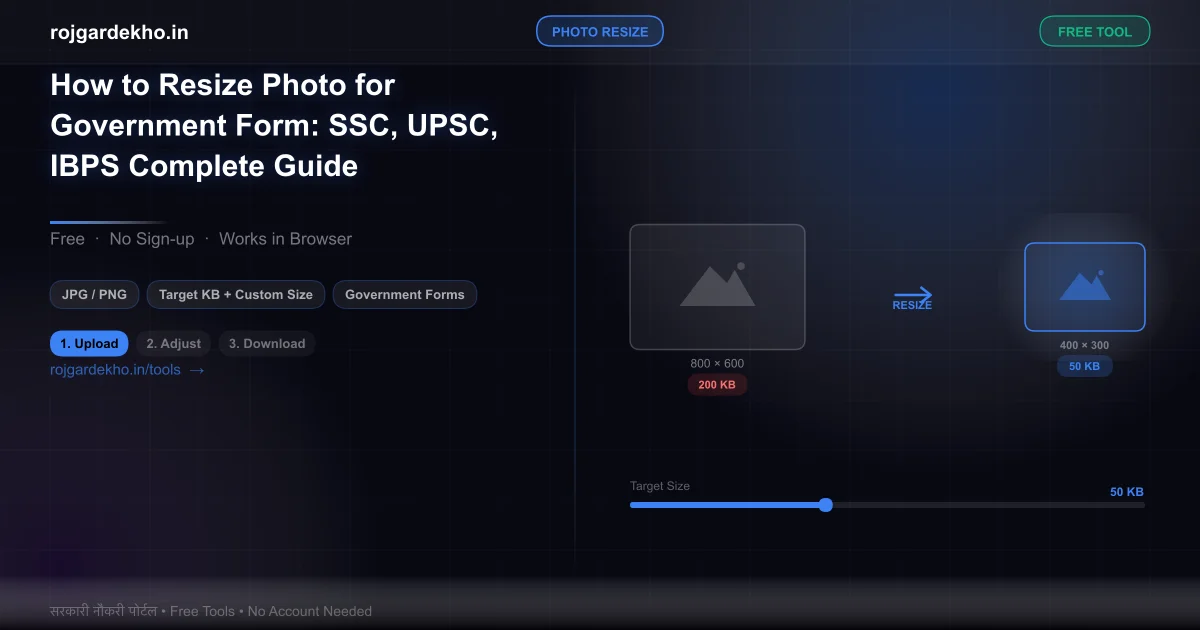
Quick answer: SSC needs 132×170 px, 20–50 KB. IBPS/SBI/RBI needs 200×230 px, 20–50 KB. UPSC needs 550×550 px, 20–300 KB. Use the free Photo Resizer to hit the exact size in one click.
- SSC (CGL/CHSL/MTS/GD): 132×170 px, 20–50 KB, JPEG, white background — wrong size is one of the top reasons SSC OTR profiles get stuck.
- IBPS/SBI/RBI: 200×230 px, 20–50 KB — most banking portals share this spec, but verify each notification.
- UPSC CSE: 550×550 px, 20–300 KB — larger file allowed because UPSC prints the photo on admit cards at high quality.
It's 11 PM. Your form is 90% done. The deadline is tomorrow morning. You upload your photo and the portal flashes: "Invalid file size" or "Image dimensions not accepted." You try cropping. You try WhatsApp-ing it to yourself. Nothing works. You're not alone — photo rejection is the most common last-minute problem in government form applications, and it has a straightforward fix that most people find out about too late.
Portal-Wise Photo Requirements — Exact Size & KB
| Portal | Dimensions (px) | File Size (KB) | Format | Background |
|---|---|---|---|---|
| SSC (CGL/CHSL/MTS/GD/OTR) | 132×170 | 20–50 KB | JPEG/JPG | White |
| IBPS PO / Clerk / SO | 200×230 | 20–50 KB | JPEG/JPG | White |
| SBI PO / Clerk / SO | 200×230 | 20–50 KB | JPEG/JPG | White |
| RBI Grade B / Assistant | 200×230 | 20–50 KB | JPEG/JPG | White |
| UPSC CSE (Prelims + DAF) | 550×550 | 20–300 KB | JPEG/JPG | White |
| Railway RRB (NTPC/Group D) | 150×200 | 15–40 KB | JPEG/JPG | White |
| BPSC (Bihar) | 214×214 | 10–50 KB | JPEG/JPG | White |
| TNPSC (Tamil Nadu) | 150×200 | 10–30 KB | JPEG/JPG | White |
| UPPSC (Uttar Pradesh) | 120×150 | 10–40 KB | JPEG/JPG | White |
| MPPSC (Madhya Pradesh) | 140×185 | 10–50 KB | JPEG/JPG | White |
Always verify against the official notification for your specific exam year. Dimensions and KB limits occasionally change between cycles — the table above reflects 2025–2026 requirements.
👉 Free Photo Resizer Tool — select your portal preset, upload, and download the correctly sized photo in one click — no signup needed
Pixels vs KB — Why Most People Get Confused
This is the core misunderstanding. Pixels and KB are two completely different things, and you need to get both right simultaneously.
Pixels = dimensions. 132×170 px means the photo is 132 pixels wide and 170 pixels tall. That's about the size of a small thumbnail on screen.
KB = file size. 50 KB is the amount of data stored in the file. A photo can be 132×170 px but weigh 800 KB — if it was saved at very high JPEG quality. And a photo can be 50 KB but 1,200×1,500 px — if it was compressed heavily. The portal will reject both.
Here's what makes it tricky: most tools only control one. Windows Paint lets you resize dimensions but not KB. Your phone gallery compresses to a fixed quality setting. WhatsApp aggressively recompresses — changing KB, format, and sometimes even colour profile. That's why sending your photo through WhatsApp and re-downloading it is one of the worst things you can do before uploading.
To hit both targets at once, you need a tool that controls both dimensions and JPEG compression quality in a single operation. That's exactly what the Photo Resizer does.
How to Resize Your Photo in 4 Steps (Free)
These steps use the free tool at rojgardekho.in/tools/photo-resizer.
Step 1: Select your portal preset. Choose SSC, IBPS, UPSC, or another option from the dropdown. The tool automatically fills in the correct dimensions (px) and target file size (KB) for that portal. No manual entry needed.
Step 2: Upload your photo. Click "Upload" and select your photo. JPG, PNG, WebP, and HEIC are all accepted — including iPhone HEIC files, which most govt portals themselves reject. The tool converts them for you.
Step 3: Click Resize & Compress. The tool resizes to exact dimensions and adjusts JPEG quality to bring the file within the KB range. Both targets hit in one operation.
Step 4: Download and upload to portal. Download the output file. It is already named with the portal and dimensions so you can keep track. Upload directly to the government portal.
What No Other Site Tells You About Portal Photo Rejection
SSC OTR stores your photo permanently. SSC's One Time Registration system saves your photo and uses it for ALL future SSC exams — CGL, CHSL, MTS, GD, everything. If you upload the wrong size once, you cannot simply re-upload. You have to raise a correction request to SSC headquarters, which takes days and can be stressful near any exam cycle. Get it right the first time.
Portals validate at two stages. The first check happens client-side in your browser — it checks file size before the upload even starts. The second check happens server-side after upload — it checks actual pixel dimensions. A photo that passes the first check (correct KB) can still fail the second (wrong pixels). If your upload "succeeds" but looks wrong in the preview, the server-side validation may have silently accepted a degraded version. Always check the preview carefully.
RPSC rejects over-compressed photos. Rajasthan Public Service Commission specifically rejects photos compressed below 70% JPEG quality — even if dimensions and KB are within the specified range. You get an "image quality too low" error. If you're targeting RPSC exams, keep JPEG quality at 75% or above.
"Passport size" is not a pixel spec. "Passport size" refers to a physical print dimension: 3.5 cm × 4.5 cm on paper. The pixel equivalent depends entirely on the DPI (dots per inch) at which the photo was scanned or photographed. At 100 DPI it's roughly 138×177 px. At 300 DPI it's 413×531 px. Never use "passport size" as your target dimension for digital uploads — use the exact pixel numbers from the notification.
iPhone HEIC files are rejected by every major govt portal. All iPhones from iPhone 7 onwards save photos in HEIC format by default. SSC, IBPS, UPSC, Railways — none accept HEIC directly. Your phone shows them as normal photos, but when you try to upload, the portal rejects the format. Convert to JPG first — or use the resizer tool which handles the conversion automatically.
Common Mistakes That Get Forms Rejected
- Sending photo via WhatsApp before uploading: WhatsApp recompresses every image to its own format and quality settings. It changes KB, can alter dimensions slightly, and sometimes strips colour profile metadata. The photo you re-download from WhatsApp is technically a different file from what you sent. Never use WhatsApp as a transfer method for govt form photos.
- Taking a screenshot of your photo: Screenshots add your device's UI (status bar, home indicator), change the colour profile, and embed device-specific metadata. Even cropped screenshots look different from original photos to portal validation systems.
- Using a black-and-white photo: Almost every central government portal explicitly requires a colour photograph. Black-and-white — even high quality — is a grounds for rejection during document verification.
- Using a photo older than 6 months: Many notifications say "recent photograph." Verification officers compare your photo with your physical appearance at DV. A photo from your graduation (3 years ago) will be flagged immediately.
- Glasses in the photo: Prohibited for SSC, Railway, Police, CISF, CRPF, and most defence forms. Prescription glasses in daily life are fine, but the uploaded photo must be without glasses unless it's specified as acceptable.
- Head covering in photo: Allowed only for religious reasons with a declaration. Without a valid reason, head covering at the time of the photo is a standard Document Verification rejection point — even if you wore it for a good reason at the time.
Device-Specific Tips
iPhone users: Go to Settings → Camera → Formats → Most Compatible. This makes future photos save as JPG instead of HEIC. For existing HEIC photos, use the resizer tool — it converts automatically.
Android users: Most Android phones default to JPG, but some save as WebP at lower quality settings. Check your Camera app's quality settings. If your photos look unusually small in file size (under 100 KB at full resolution), your camera may be set to a compressed format.
Avoid the WhatsApp trap: The temptation to "WhatsApp the photo to yourself" to move it from phone to laptop is common and consistently causes problems. Use a USB cable, Google Photos sync, or email instead.
Avoid Windows Paint: Paint resizes dimensions but saves files at a fixed, often very high quality — meaning a 132×170 px file can still be 200+ KB after Paint saves it. Use the dedicated tool instead.
Frequently Asked Questions
Q: My photo is 132×170 px but the portal says "file too large." Why?
Correct dimensions do not guarantee correct file size. A 132×170 px image saved at 100% JPEG quality can be 150–300 KB — far above SSC's 50 KB limit. You need to compress the JPEG quality down to around 60–75% to hit the 20–50 KB range while keeping the same dimensions. The resizer tool handles this automatically.
Q: Can I use the same photo file for SSC CGL and IBPS PO?
No. SSC needs 132×170 px and IBPS needs 200×230 px — different dimensions entirely. You need two separately prepared files. However, the same original photograph (taken in front of a white background) can be used to generate both — just run it through the tool twice with different portal presets.
Q: What happens if I upload the wrong photo size — will my form be cancelled?
Depends on the stage. If the portal accepts a wrong-size photo during application (some have loose validation), it can cause rejection at Document Verification — after you've cleared the written exam and physical tests. At DV, rejection means losing the selection entirely. It's not worth the risk. Get the size right before submitting.
Q: The portal accepts my photo but the preview looks blurry. Is that okay?
The preview in most portals renders at a very small size on screen — a 132×170 px photo will always look a bit soft in a small preview box. That's normal. What matters is whether the portal accepted the upload and shows a checkmark or "success." If the dimensions and KB are correct, the blurry preview is just the screen rendering — the actual file is fine.
Q: UPSC photo requirements changed — what is the current size?
As of 2026, UPSC CSE requires 550×550 px, 20–300 KB, JPEG, white background, with your name and the date printed at the bottom. The name+date requirement is specific to UPSC and the DAF stage. The Prelims application also requires this format.
Q: Can I use a photo taken on my phone?
Yes — phone cameras today produce more than enough quality for government forms. The issues are format (use JPG, not HEIC), file size (phones produce large files, needs compression), and background (use a white wall or sheet). A photo clicked on a modern phone in good light, in front of a plain white background, is perfectly acceptable.
Q: What if my photo is 131×170 px (1 pixel off) — will it be rejected?
Most portals have ±2–3 px tolerance in dimension validation. A 131×170 px photo is unlikely to be rejected solely for being 1 pixel narrower. However, this tolerance is undocumented and inconsistent across portals. Don't rely on it. Hit 132×170 exactly — the tool makes this trivial.
👉 Resize Your Photo Now — Free, No Signup — upload once, download the correctly sized file for any govt portal